November 20, 2026
What medical alarm features actually keep you safer every day?
By @thefamilysupporter
Focus on the features that matter for everyday safety
When you or a loved one lives independently, a medical alarm can be the difference between a quick response and a long wait for help. But not all alarms are the same, and the most expensive model is not always the most practical. The features that genuinely improve everyday safety are the ones that work without fuss, cover the places you actually go, and stay reliable over time. Understanding which features matter most helps you choose an alarm that fits your life, not just a brochure.
An SOS button that is easy to reach
The core of any medical alarm is the SOS button. It sounds simple, but the button needs to be where you can press it in a real emergency. Many pendants are worn around the neck or on the wrist, but if you have limited hand strength or arthritis, a small button can be hard to press. Look for a button that is large enough to find by touch and requires only light pressure to activate. Some alarms also offer a wall-mounted button in a central location, like the bathroom or bedroom, so help is always within reach even if you are not wearing the pendant.
A good test is to imagine a fall where you cannot move your arms easily. Can you still press the button with your chin, elbow, or knee? If the answer is no, the design may not be safe enough for your daily routine. The best alarms are designed so that the SOS button is always accessible, even in awkward positions.
Fall detection that actually works
Fall detection is one of the most talked-about features, and for good reason. Many falls happen when a person is alone and unable to reach a phone or press a button. A fall detection system that automatically alerts a response centre can be a lifesaver. But the technology is not perfect. Some sensors trigger false alarms from sudden movements like bending over or sitting down quickly, while others miss real falls because the impact is too gentle.
The most reliable fall detection uses a combination of accelerometers and gyroscopes to sense both the speed of the fall and the angle of the body after impact. It should also have a short delay before sending the alert, giving you time to cancel it if you are fine. When testing a device, try a few controlled movements (like dropping a pillow onto a soft surface) to see how sensitive it is. The goal is a system that catches real falls without flooding the response centre with false alarms.
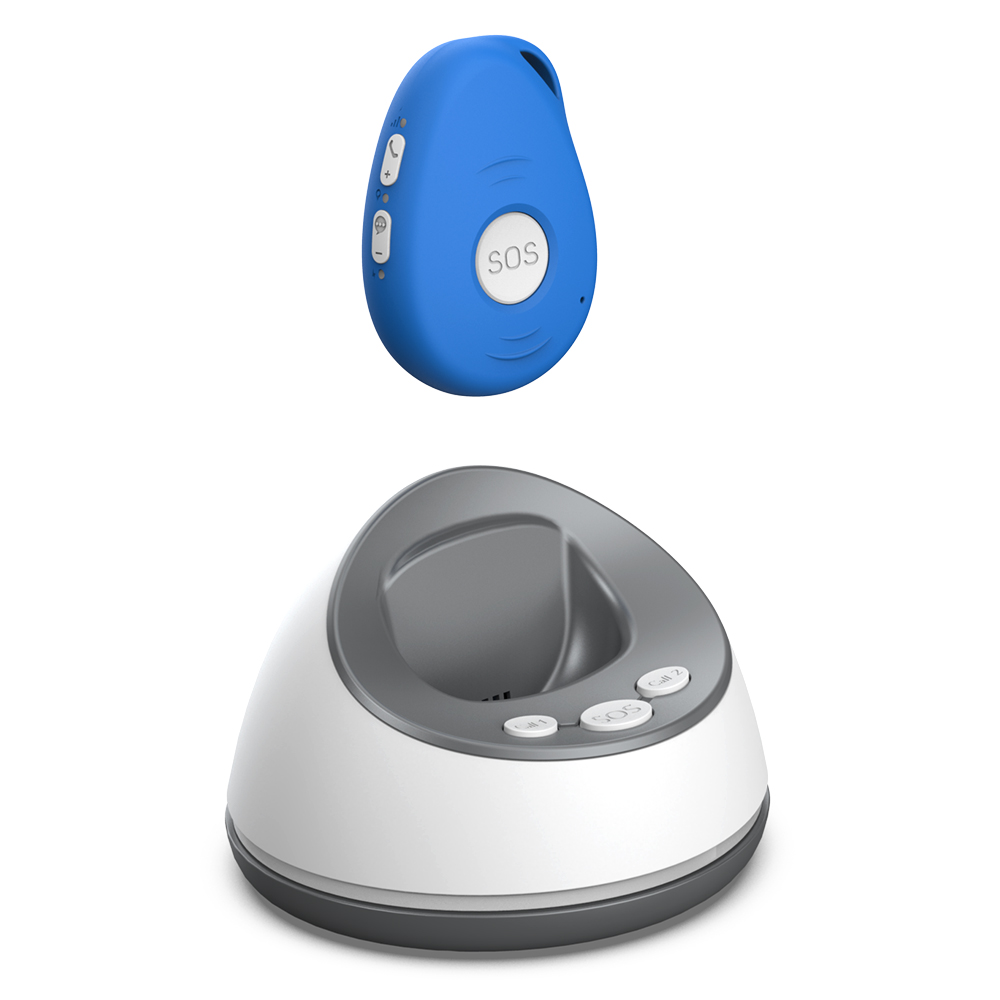
GPS tracking for safety outside the home
Many people assume a medical alarm only works inside the house. But if you walk the dog, visit the shops, or garden in the backyard, GPS tracking becomes essential. A device with built-in GPS can pinpoint your location anywhere outdoors, so responders know exactly where to find you. This is especially valuable for someone with dementia who may wander or become confused in unfamiliar places.
GPS tracking also helps if you have a fall in a public area where no one is around to help. The alarm sends your coordinates to the response centre, and help can be dispatched directly to your location. When choosing a device, check whether the GPS works in your area and whether it updates quickly. Some models use cellular triangulation as a backup when GPS signals are weak, like inside a shopping centre or a concrete building.
Two-way calling for clear communication
Once the alarm is triggered, being able to speak with a responder is critical. Two-way calling means you can talk directly through the device, without needing to pick up a phone. The responder can ask what happened, assess the situation, and decide whether to send an ambulance or call a family member. This feature also lets you reassure a responder if it is a false alarm, saving everyone time.
The quality of the speaker and microphone matters. If the audio is muffled or the device is worn under clothing, the responder may not hear you clearly. Look for a device with a loud speaker and a noise-cancelling microphone. Some models also have a speakerphone function that lets you speak hands-free, which is helpful if you are lying on the floor after a fall and cannot hold anything.
Battery life that you can trust
A medical alarm that runs out of battery when you need it is worse than no alarm at all. Battery life varies widely between models. Some devices need charging every day, while others can run for weeks or months on a single charge. The best choice depends on your routine. If you are good about plugging things in every night, a daily charge may be fine. But if you often forget, or if the person using the alarm has memory issues, a longer battery life is safer.
Look for a device that gives clear warnings when the battery is low, like an audible beep or a flashing light. Some alarms also send a notification to a family member's phone when the battery is running low. Avoid models that shut off without warning. A good rule is to choose a device with at least several days of battery life under normal use, so even if you forget to charge it for a day, you are still covered.
Alarm range that covers your whole home
If the alarm only works within a few metres of its base station, it is not much use in a large house or a multi-level home. The range of the pendant or wristband from the base unit matters for everyday safety. You need to be able to move freely from the kitchen to the garden shed without losing connection. Some alarms use a home base station that connects to the pendant via radio frequency, while others rely on cellular networks directly.

For a home-based system, check the maximum range through walls and floors. Concrete and brick can reduce range significantly. If your home has thick walls or a basement, you may need a system with a longer range or a cellular-based pendant that does not depend on a base station. The safest option is a device that works both at home and away, so you never have to worry about losing coverage.
No monthly fee alarm models and what they offer
Many people are put off by the ongoing cost of medical alarms. Monthly fees can add up over time, and some families prefer a one-time purchase with no recurring charges. A no monthly fee alarm typically means you buy the device outright and pay only for the cellular data or monitoring service as needed, or the device works on a pay-as-you-go basis. This can be a good option for those who want to control their budget and avoid surprises.
When looking at no monthly fee alarm models, check what is included in the purchase price. Some devices come with a preloaded SIM card that covers a set amount of data, while others require you to supply your own SIM. The key is to ensure the device still has reliable connectivity and a response centre that can handle alerts 24/7. A low upfront cost is not a bargain if the device does not work when you need it.
Family support features that keep loved ones informed
Safety is not just about the person wearing the alarm. Family members also want peace of mind. Some alarms offer a family app or web portal where relatives can see the user's location, battery status, and activity history. This feature is especially useful for adult children caring for aging parents who live far away. The app can send notifications if the alarm is triggered, or if the user has not moved for an unusually long time.
These family support features vary by brand. Some allow multiple family members to receive alerts, while others only notify one person. Look for a system that lets you add several contacts, so if one person is unavailable, another can respond. The app should be simple to set up and use, without requiring technical skills from the older adult. A good family support system makes everyone feel safer, not just the person wearing the device.
Device testing and everyday reliability
A medical alarm is only useful if it works every time. Before relying on a new device, test it thoroughly in the places you spend the most time. Press the SOS button while in the bedroom, the bathroom, the garden, and the garage. Check that the fall detection triggers correctly by simulating a fall onto a soft surface (like a mattress or a pile of cushions). Listen to the two-way audio quality in each room. If the device has GPS, take it for a walk and confirm that the location updates accurately.
Testing should also cover the battery. Let the device run for a few days without charging to see how long it lasts. Note any quirks, like the device losing connection in certain spots or the audio cutting out. If you find problems, contact the manufacturer before you need the alarm in a real emergency. A device that passes your tests will give you confidence every day.

One option that covers many of these features without ongoing fees is the system from familyr.co.nz. It includes SOS alerts, GPS tracking, fall detection, two-way calling, and family support, all without monthly charges. For someone in New Zealand looking for a straightforward alarm that works both at home and on the move, it is worth examining how those features match your daily needs. The key is to compare what each feature does in practice, not just what the marketing says.
Putting it all together for your everyday safety
Choosing the right medical alarm comes down to matching features to your real life. An SOS button that is hard to press is not safe. Fall detection that misses falls is not helpful. GPS that works only indoors leaves you vulnerable outside. Battery life that is too short creates anxiety. And a system that charges monthly fees can strain your budget over time.
The safest alarm is one you will actually wear every day, that works reliably in every room you use, and that connects you to help quickly when you need it. By focusing on the features that matter most - easy SOS, reliable fall detection, accurate GPS, clear two-way calling, long battery, good range, and family support - you can find a device that gives you real peace of mind. And if you want to avoid ongoing costs, a no monthly fee alarm from a trusted provider like familyr.co.nz is worth a close look. The goal is not just to own an alarm, but to live confidently knowing help is always close.
❧